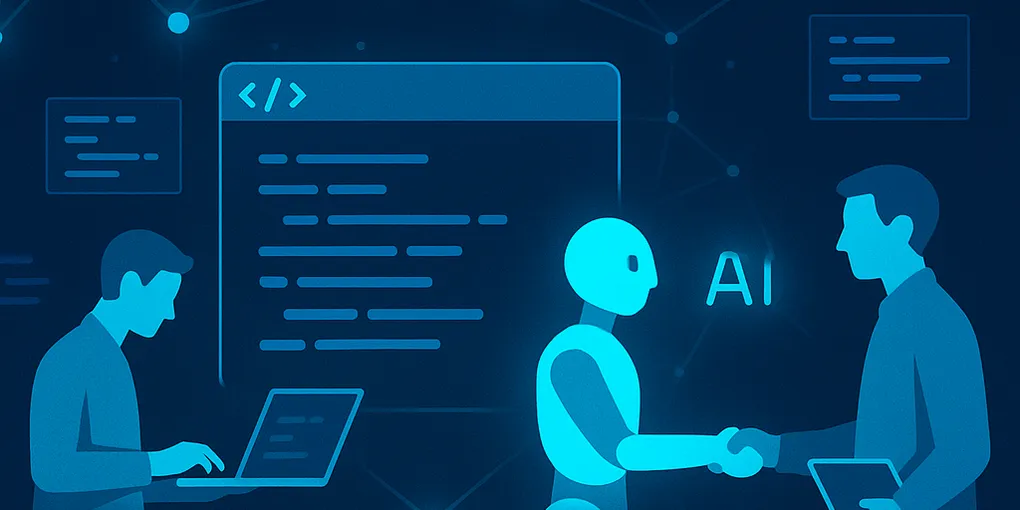
The Open Source Renaissance: How AI Is Making Complex Projects Accessible to Everyone
AI assistants have slashed the technical barrier to deploying open source software — turning multi-day DevOps projects into afternoon tasks for non-developers. As of April 2026, tools like Claude, ChatGPT, and Gemini can walk anyone through deploying self-hosted software step by step, translating error messages into plain fixes and generating configuration files from plain English descriptions. The open source software was always there. The accessibility gap has now closed.
Key Takeaways
- AI assistants make open source deployment accessible without DevOps expertise, as of 2026.
- Self-hosting tools like Listmonk can cost ~$5/month vs. $50–500/month for commercial alternatives.
- Five strong starting points: Listmonk, Paperless-ngx, Plausible, n8n, Metabase.
- Platforms like Coolify and Dokploy reduce setup friction to near “one-click” for non-developers.
- Local AI models via Ollama pair naturally with self-hosted infrastructure — no data leaves your network.
How Did AI Change What’s Possible With Open Source?
The barrier to open source was never the software itself. It was the cognitive load of getting there. Documentation written for developers. Error messages with no context. Configuration files with dozens of undocumented options. Stack Overflow threads from years past that half-answered your question before going off-topic.
AI assistants — Claude, ChatGPT, Gemini — have effectively become universal translators for this problem. You paste an error message, describe what you’re trying to do, and get a plain-language explanation plus the exact command to fix it. You describe your infrastructure in plain English and get a Docker Compose file back.
The result: projects that previously required a DevOps engineer to deploy now take an afternoon.
Which Open Source Tools Are Now Worth Deploying?
Listmonk — a self-hosted newsletter platform. Server costs typically run around $5–10/month on a VPS, compared to Mailchimp pricing of $50–500/month at scale. A year ago, setting it up meant understanding PostgreSQL, reverse proxies, and SMTP configuration. Today, AI walks you through every step.
Paperless-ngx — a document management system that turns your paper pile into a searchable, OCR-indexed archive. Running it on your own server means your documents stay private and you pay nothing per document. AI makes the Docker deployment straightforward.
Plausible Analytics — a privacy-friendly Google Analytics alternative. Self-hosting keeps your visitor data off third-party servers and costs a fraction of commercial alternatives. The setup that previously required DevOps experience now takes a couple of hours with AI guidance.
n8n — workflow automation that competes with Zapier and Make, but self-hosted. Unlimited automations, no per-task fees, full control. The AI ecosystem has produced extensive tutorials, and Claude or ChatGPT can debug your workflows in real time (as of April 2026).
Metabase — business intelligence and dashboarding, self-hosted. Connect it to your database and build dashboards without a data analyst. AI can write the SQL queries you’d otherwise need to hire someone for.
Why Does This Matter for Small Business Owners?
The economics have always favored open source at scale. What’s changed is the accessibility threshold — the minimum technical competence required to capture those economics.
A few years ago that threshold was “you need a developer.” Today it’s “you need an afternoon and willingness to ask an AI questions.”
For small and medium businesses, this opens up a real category of tools that were previously priced out or technically out of reach:
- Email marketing at a fraction of the cost of commercial platforms
- Analytics without sending your visitors’ data to Google
- Document management that doesn’t charge per seat
- Automation without per-task fees
- Business intelligence without a six-figure BI platform
The businesses that figure this out first will have a meaningful cost and capability advantage over competitors paying full commercial rates. This kind of operational efficiency edge is exactly what separates the top 20% of AI adopters from the rest in current business benchmarks.
What Does the Deployment Workflow Actually Look Like?
The pattern that works:
- Identify the problem — what do you need? Email marketing, analytics, automation, document management?
- Find the open source alternative — search “open source alternative to [tool]” and look for projects with active GitHub repositories and recent commits
- Use AI to plan the deployment — describe your server, your use case, and your technical comfort level. Ask for a step-by-step deployment guide.
- Deploy, then debug with AI — when something breaks (it will), paste the error into your AI assistant and follow the fix
- Document what you built — future you will thank present you
The debugging step is where AI has the biggest impact. Error messages that previously meant hours of Stack Overflow research now resolve in minutes. The barrier that stopped most people wasn’t deploying — it was what happened when something went wrong.
What Trends Are Accelerating This Shift?
AI-native open source tools — projects built from the ground up with AI integration. The next generation of open source software assumes you have an AI assistant at hand.
One-click deploy platforms — Coolify, Dokploy, and Caprover are making self-hosting closer to managed hosting in ease, while keeping you in control. This parallels how enterprise AI adoption is simplifying — see Microsoft’s approach with Azure Foundry for the enterprise equivalent.
Community AI documentation — major open source projects are adding AI-assisted documentation and support channels. Nextcloud, WordPress, Mattermost — the communities are adapting.
Local AI models — tools like Ollama make it possible to run capable AI models on your own hardware, which pairs naturally with self-hosted open source infrastructure. No data leaves your network.
Frequently Asked Questions
Do I need to know how to code to self-host open source software with AI help?
No. AI assistants like Claude, ChatGPT, and Gemini can walk you through the entire setup process step by step, including commands you’d paste into a terminal. Most people with no coding background can deploy tools like Listmonk or Paperless-ngx in an afternoon. You need patience and the ability to follow instructions, not programming skills.
How much money can you actually save by self-hosting instead of using SaaS?
Savings vary by tool, but they’re often significant. Listmonk costs roughly $5–10/month to self-host on a VPS versus $50–500/month for commercial newsletter platforms at comparable subscriber counts. Business intelligence tools like Metabase can replace subscriptions costing hundreds per month. The main trade-off is your time for initial setup, not ongoing cost.
What are the best open source tools to self-host for a small business?
Five strong options: Listmonk (email newsletters), Paperless-ngx (document management), Plausible Analytics (privacy-friendly website analytics), n8n (workflow automation), and Metabase (business intelligence dashboards). All are actively maintained and now significantly easier to deploy with AI assistance.
What is Coolify and why do people recommend it for self-hosting?
Coolify is an open source platform that simplifies deploying and managing self-hosted apps — often described as a self-hostable alternative to platforms like Heroku. It provides a visual dashboard so you can deploy apps without writing server configuration from scratch. It’s particularly useful for non-developers who find raw command-line deployment intimidating.
The Bottom Line
Open source software has always been the stronger technical choice for the majority of business tools. The missing piece was accessibility. AI has filled that gap.
If you’ve been paying commercial SaaS rates for tools that have well-maintained open source alternatives, the calculus deserves a second look. The deployment cost — in time and expertise — is a fraction of what it was a few years ago.
The open source renaissance isn’t about developers getting better at code. It’s about everyone else finally being able to use what developers built.