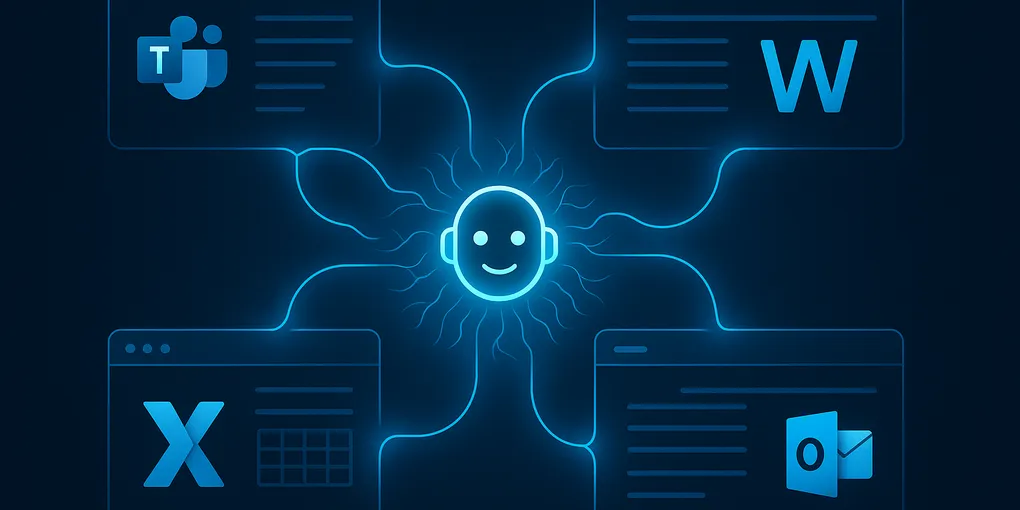
Microsoft Copilot Is Now an Agent — What That Means for Your M365 Team
In April 2026, Microsoft formally repositioned Copilot as an “Agentic Work IQ Layer” — a system moving beyond chat responses to autonomously complete multi-step work tasks. The shift has been building for months, but the company’s official framing makes it clear: Copilot is no longer a chat assistant. It’s becoming an autonomous agent embedded across your entire Microsoft 365 stack.
Key Takeaways
- Microsoft is repositioning Copilot as an “Agentic Work IQ Layer” as of April 2026
- Agentic Copilot will initiate actions without being asked (meeting ends → auto draft follow-ups)
- Rolling out to M365 Business Premium and E3/E5 tenants starting Q2 2026
- Will chain tasks across Outlook, Teams, Word, Excel, SharePoint without manual triggering
- Trust checkpoints built in to pause for approval before sensitive or irreversible actions
What Does It Actually Mean When Microsoft Says Copilot Is an “Agent”?
When Microsoft says “agentic,” they mean Copilot will begin to:
- Initiate actions without being asked, based on context (a meeting ends → it drafts follow-ups)
- Chain tasks across multiple apps — read an email in Outlook, create a task in Planner, notify the right person in Teams, all without switching contexts
- Learn from organizational patterns to anticipate routine work
- Maintain trust checkpoints — pausing for human approval before sensitive or irreversible actions
The critical piece is that last point. Microsoft is designing Copilot’s agentic behavior with explicit user-controlled trust mechanisms — meaning the agent checks in before doing things you haven’t pre-authorized.
This matters because the failure mode people fear most with AI agents (taking actions you didn’t intend) is something Microsoft says they’re explicitly building around.
How Will Agentic Copilot Show Up in the M365 Stack?
If your organization uses Microsoft 365, here’s where the agentic layer will appear first, rolling out through Q2 2026:
Teams — Copilot will summarize conversations, assign follow-ups, and schedule meetings without being asked. After a video call, expect an automatic action item list populated before you close the window.
Outlook — Emails requiring responses will get draft suggestions that aren’t just text completions. Copilot will look at your calendar, your past responses, and organizational context to propose complete, actionable replies.
Word and Excel — Document drafting and data analysis will become trigger-based rather than prompt-based. Start a new budget file, and Copilot will pull in relevant historical data and suggest a structure based on what your organization typically does.
SharePoint and OneDrive — Copilot will surface relevant files at the moment they’re relevant, not when you search for them.
Why Is This a Bigger Deal Than Most People Realize?
The first generation of Copilot — the one that answers questions and completes sentences — was genuinely useful but easy to underestimate. You still had to be in the driver’s seat: open the app, write the prompt, review the output.
Agentic Copilot flips that model. The system monitors your work context and intervenes when it can help. You don’t call the agent; the agent shows up.
This has significant implications for how teams will need to structure their work:
- Handoffs and workflows will need to be machine-legible, not just human-readable
- Approval processes need to be explicit — otherwise agents will route things incorrectly
- Data hygiene becomes critical — agents reading messy, inconsistent files will produce messy, inconsistent outputs
- Documentation culture gets a boost — because agents learn from what’s written down, well-documented organizations will see dramatically better results
For context on how this fits into the broader shift toward AI autonomy in enterprise, see our guide to getting started with AI for small business and our coverage of AI agents in robotics and physical work.
What Should You Do Before the Agentic Rollout?
Microsoft typically previews agentic features to enterprise tenants first. If your organization has a Microsoft 365 Business or Enterprise subscription, these capabilities are likely already partially live — they’re being quietly activated rather than announced with fanfare.
Three practical steps:
-
Audit your Copilot license tier. The Business Premium and E3/E5 tiers have the most complete agentic access. If you’re on a lower tier, you’ll see these features later.
-
Review your data permissions model. Agentic Copilot reads what it has access to. If your permissions are broad and disorganized, the agent will be too.
-
Talk to your team about trust settings. The most common failure mode won’t be the AI doing something catastrophic — it’ll be the AI doing something mildly wrong 50 times a day. Set up approval requirements for any actions that touch external communications or financial data.
Frequently Asked Questions
What does it mean when Microsoft says Copilot is now an “agent”?
It means Copilot can now take actions on its own, not just respond to prompts. When a meeting ends it can automatically draft follow-up emails. It chains tasks across Outlook, Teams, Word, Excel, and SharePoint without you manually triggering each step — acting more like a digital coworker than a chatbot.
When is the agentic Copilot rolling out and who gets it?
Microsoft is rolling out the agentic Copilot update in Q2 2026 to tenants on M365 Business Premium and E3/E5 plans. Lower-tier licenses will get access later. Auditing your license tier now is the recommended first step.
Is it safe to let Copilot take actions automatically, especially for emails or financial tasks?
Microsoft is building in ‘trust checkpoints’ that require human approval before Copilot acts on sensitive tasks like sending external communications or executing financial actions. IT admins should proactively set up approval workflows and review data permissions before rollout to avoid unintended autonomous actions.
How does agentic Microsoft Copilot compare to Google Gemini or OpenAI’s systems?
All three are moving toward agentic AI in 2026. Google Gemini is the main rival inside productivity suites. Microsoft’s edge is deep native integration across the M365 app stack — Outlook, Teams, SharePoint, Excel — which third-party tools still have to replicate through connectors.
The Competitive Pressure Behind This Shift
Microsoft isn’t building this in a vacuum. Google’s Gemini is moving in the same direction across Workspace. The race to own enterprise workflow automation is accelerating, and Microsoft’s advantage is distribution — hundreds of millions of workers already use Teams and Outlook daily. They don’t need you to adopt a new tool. They’re upgrading the tools you already use.
For business leaders: the question isn’t whether AI agents will touch your team’s work in 2026. It’s whether you’ll be ready when they do.
Microsoft’s Copilot agentic repositioning was announced in April 2026. Features are rolling out progressively to M365 commercial tenants throughout Q2 2026.